> ## Documentation Index
> Fetch the complete documentation index at: https://docs.tarowallpaper.com/llms.txt
> Use this file to discover all available pages before exploring further.
# iOS快捷指令教程更换壁纸
> 你可以通过快捷指令的方式自动更换当前设备壁纸,无需打开香芋壁纸进行复杂的设置。
***注意:您需要 IOS 16及以上的系统才可使用。***
## 第1步:安装快捷方式
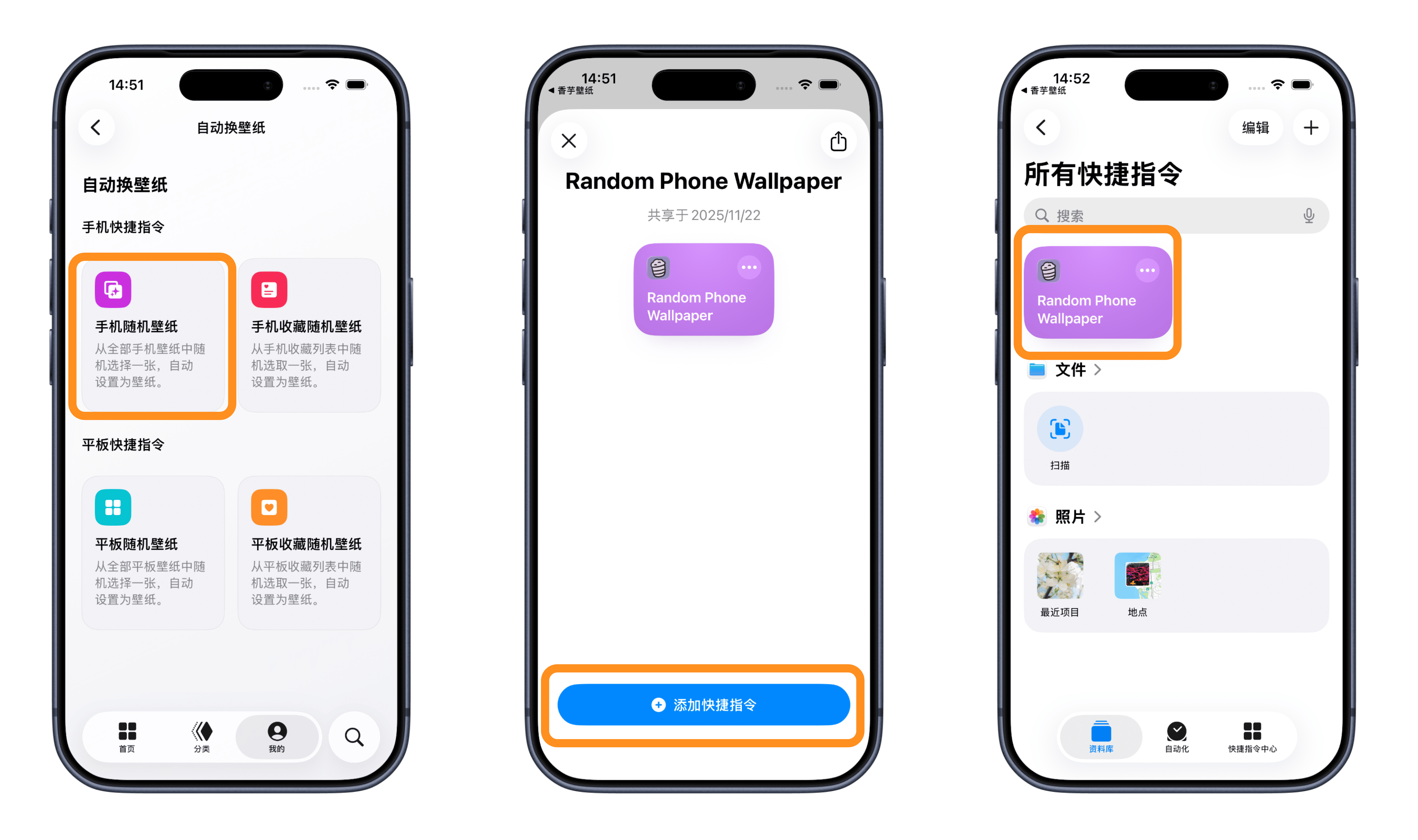
打开 **香芋壁纸** 底部「我的」→ 「自动切换壁纸」页面。选择所需快捷方式进行添加。这里我们使用随机一张我的收藏(手机)为例,添加到快捷方式列表中:
 **注意这里必看⚠️⚠️⚠️**
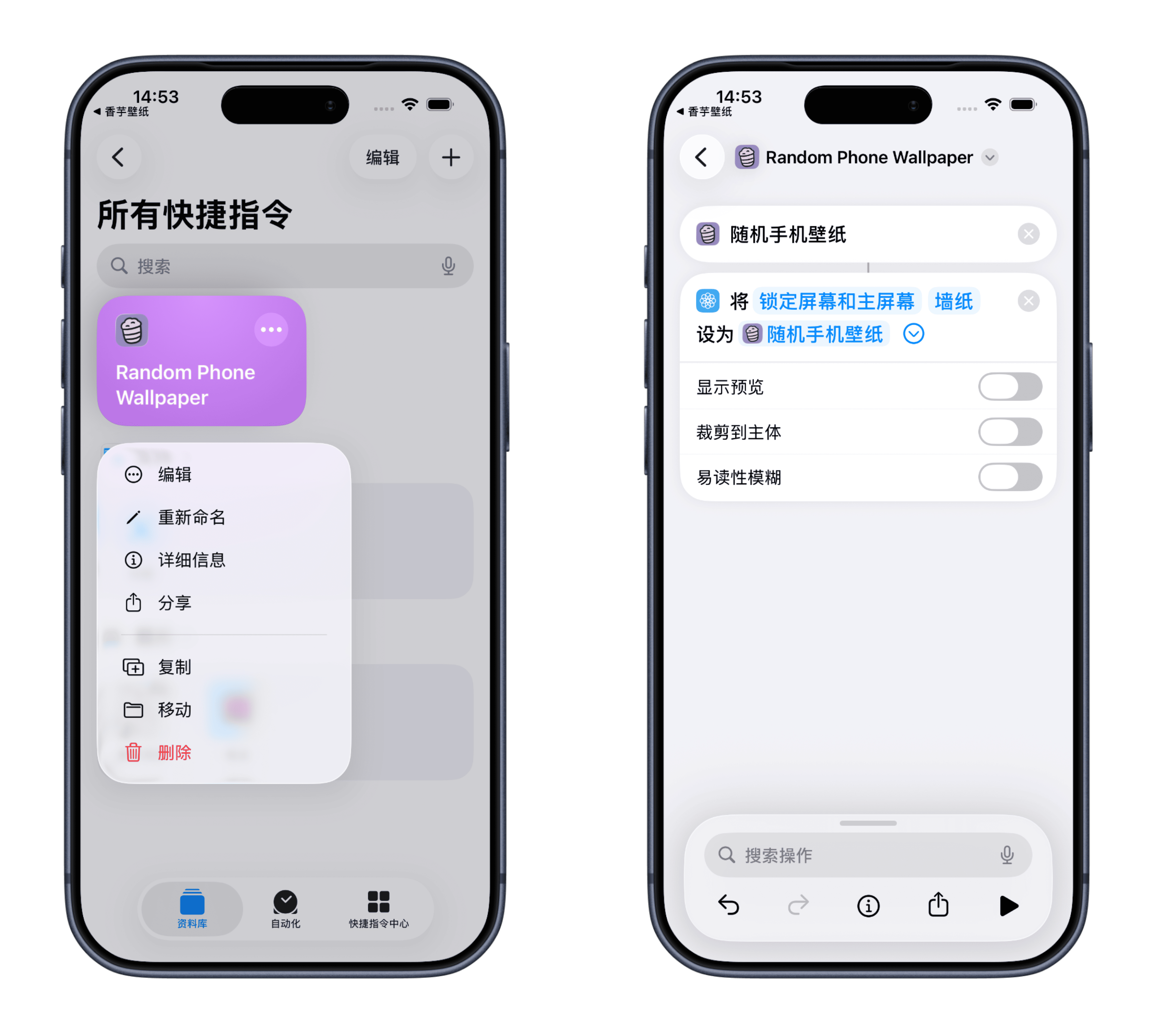
打开快捷指令,长按需要编辑的快捷指令。点击「锁定屏幕和主屏幕」旁边的小箭头。
**内容解释:**
> 显示预览:打开后每一次运行快捷指令都会提前预览手动确认,你可以调整图片的位置。 裁剪到主体:将自动裁剪到合适的位置设置壁纸。 易读性模糊:开启后桌面的壁纸将设置为图片的模糊。
**注意这里必看⚠️⚠️⚠️**
打开快捷指令,长按需要编辑的快捷指令。点击「锁定屏幕和主屏幕」旁边的小箭头。
**内容解释:**
> 显示预览:打开后每一次运行快捷指令都会提前预览手动确认,你可以调整图片的位置。 裁剪到主体:将自动裁剪到合适的位置设置壁纸。 易读性模糊:开启后桌面的壁纸将设置为图片的模糊。
 ## 第2步:设置自动更换壁纸
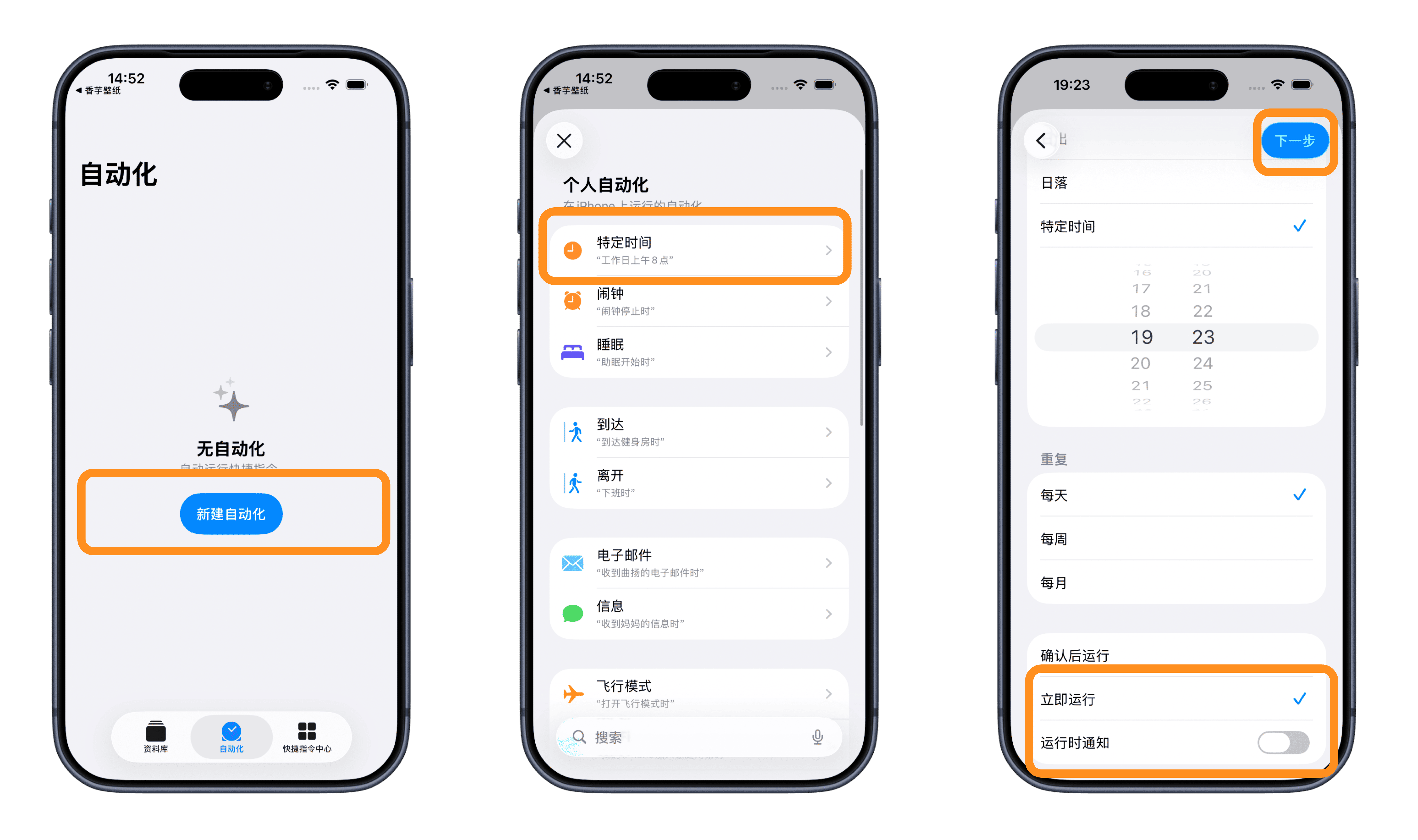
打开快捷指令,选择「自动化」,点击右上角的「+」按钮创建个人自动化,你可以选中一天中的时间。选中一天并设置所需的时间。禁用「运行前询问」通知并且选择「立即执行」,单击下一步继续。
## 第2步:设置自动更换壁纸
打开快捷指令,选择「自动化」,点击右上角的「+」按钮创建个人自动化,你可以选中一天中的时间。选中一天并设置所需的时间。禁用「运行前询问」通知并且选择「立即执行」,单击下一步继续。
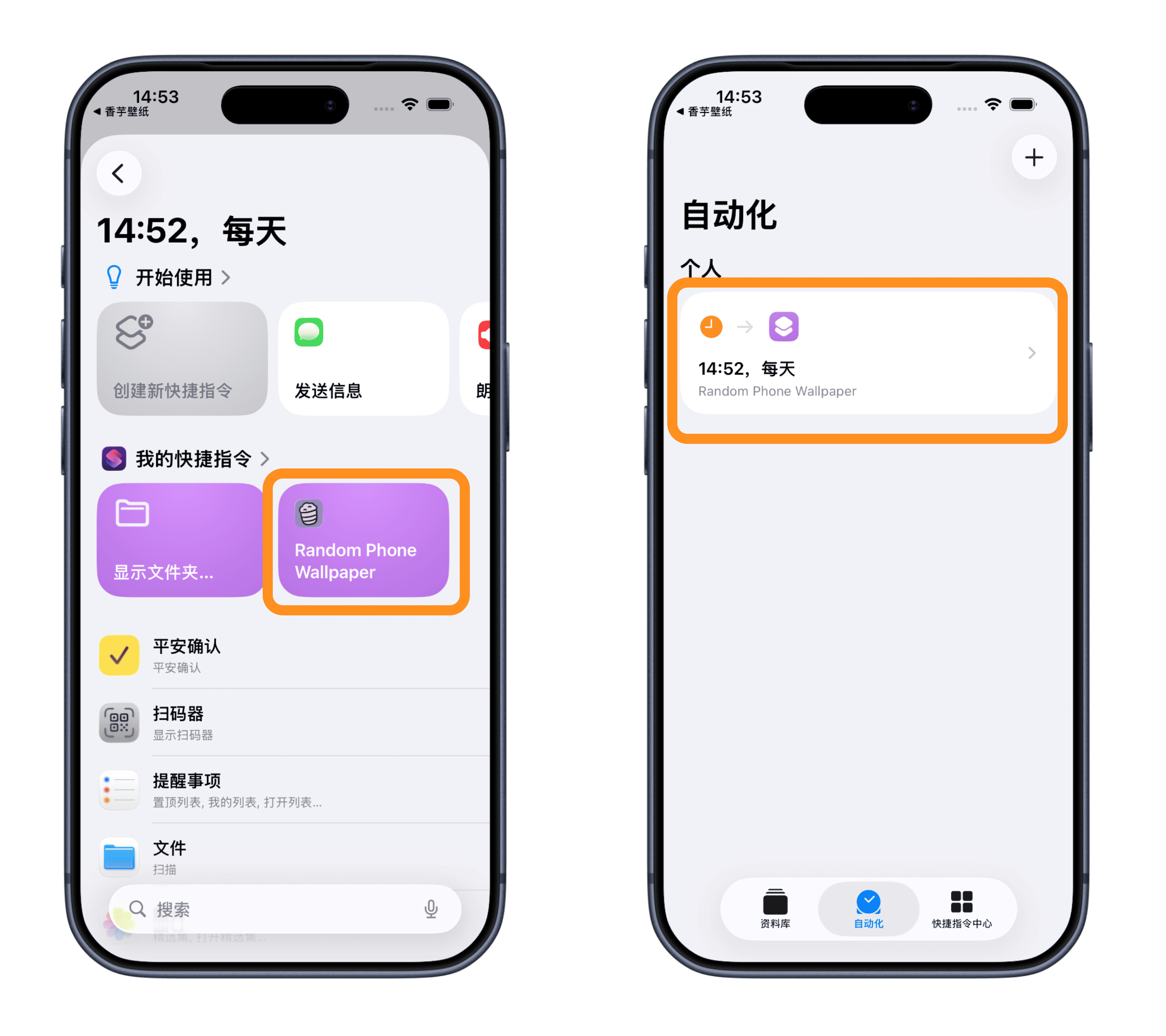
 从「我的快捷指令」中选择 「随机一张我的收藏(手机)」,其他快捷指令类似。
 ## 常见问题:
问:为什么我当前的壁纸在设置并点击后没有更新?
答:如果您的 iPhone 上设置了多张壁纸,则需要手动选择您想要快捷方式替换的壁纸。就是这样:
1. 打开快捷方式应用程序并长按相应的快捷方式。
2. 单击编辑。
3. 选择**壁纸 3(数量可能会有所不同)**。
4. 在弹出窗口中,选择您手机当前使用的壁纸,然后单击“完成”。 现在,该快捷方式将自动更新您当前的壁纸,而不会影响其他壁纸。
## 更多自动化建议:
* 将更换的快捷指令添加到主屏幕小组件,可实现手动更换壁纸。
* 为锁定屏幕和主屏幕壁纸设置单独的快捷方式。下载壁纸后,使用小组件选择是否将其设置为锁定屏幕或主屏幕壁纸。
* …
## 常见问题:
问:为什么我当前的壁纸在设置并点击后没有更新?
答:如果您的 iPhone 上设置了多张壁纸,则需要手动选择您想要快捷方式替换的壁纸。就是这样:
1. 打开快捷方式应用程序并长按相应的快捷方式。
2. 单击编辑。
3. 选择**壁纸 3(数量可能会有所不同)**。
4. 在弹出窗口中,选择您手机当前使用的壁纸,然后单击“完成”。 现在,该快捷方式将自动更新您当前的壁纸,而不会影响其他壁纸。
## 更多自动化建议:
* 将更换的快捷指令添加到主屏幕小组件,可实现手动更换壁纸。
* 为锁定屏幕和主屏幕壁纸设置单独的快捷方式。下载壁纸后,使用小组件选择是否将其设置为锁定屏幕或主屏幕壁纸。
* …